
You can run Stable Diffusion locally on a compatible iPhone or iPad with LocalGen. Download the iOS app, install a supported model, write a prompt and generate on-device without configuring a desktop computer. After setup, supported generation works offline and keeps the prompt and result on-device unless you choose to share them.
What “Stable Diffusion on iPhone” means
Stable Diffusion is a family of generative image models that turns text descriptions into images. On iPhone and iPad, “on-device” means the model’s inference work happens on Apple hardware instead of sending the prompt to a remote image-generation service.
LocalGen turns that technical capability into a mobile app workflow. You do not need to install command-line tools, manage a Python environment or keep a Mac connected. You do need enough device capability and local storage for the app and selected model.
Stable Diffusion iOS requirements before the first generation
- iOS or iPadOS 18.0 or later: this is the minimum operating-system version shown by the current listing.
- Recommended hardware: the developer recommends an A14-class chip, iPhone 12 or newer, or newer supported iPads.
- Storage: the public app download is large and installed models need additional local space.
- An initial connection: download the app and model before expecting offline generation.
- A specific goal: choose the visual style before installing a model so the first test answers a real creative question.
Run Stable Diffusion locally in LocalGen
- Download LocalGen from the App Store and open it on your iPhone or iPad.
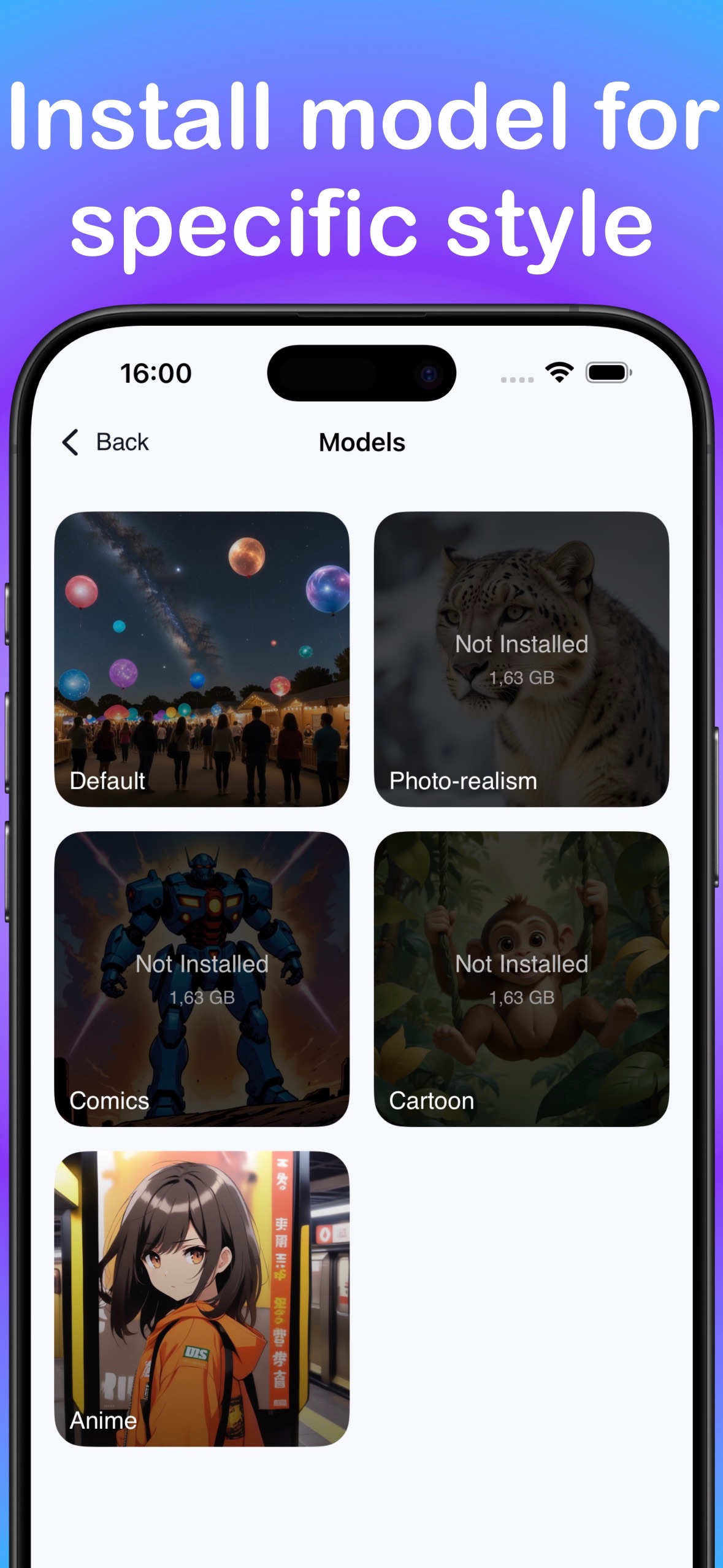
- Open the model library and install a model for the style you want to create.
- Select the installed model and open the text-to-image creation screen.
- Write a prompt that names the subject, style, setting, composition, lighting and mood.
- Generate on-device, review the image and change one prompt variable for the next version.
- Save a successful result to Photos or share it from the device.
Solitary lighthouse on a black-rock coast, graphic novel illustration, stormy ocean, low-angle composition, silver moonlight, dramatic atmosphereChoose a model by the outcome you want
The current LocalGen release notes and screenshots verify models for Anime, Cartoon, Realism, Illustration and Painting. Start with the category closest to the finished image in your head:
- Anime: stylized characters, expressive portraits and illustrated scenes.
- Cartoon: playful shapes, simplified forms and graphic character concepts.
- Realism: photographic-looking scenes and portrait studies.
- Illustration: editorial art, posters and concept images.
- Painting: visibly painterly texture and fine-art direction.
These are broad style directions, not guarantees of a particular composition, resolution or consistent character identity. Prompting and iteration still determine the result.
Stable Diffusion iPhone and iPad compatibility
The live App Store technical panel decides whether Apple offers the binary to your device. The developer’s description separately recommends A14-class hardware, including iPhone 12 or newer, and newer iPads. These statements should not be collapsed into a promise that every installable device will generate equally well.
Why choose a local, offline Stable Diffusion app?
A local app removes account setup, cloud queues and per-image tokens from the supported workflow. It can also generate offline after setup, and prompts and generated images remain on-device unless you share them. The tradeoff is that your phone or tablet supplies the compute, storage and battery.
LocalGen is free to download with Pro purchases. That makes it easy to evaluate the interface, but “no per-image credits” should not be read as “every feature is free.” Check the live storefront for current purchase options.
Download LocalGen, install a model and generate on-device without a desktop setup.
Stable Diffusion on iPhone and iOS FAQ
Can Stable Diffusion run on an iPhone without a computer?
Yes. LocalGen provides an app-based workflow for installing and running supported Stable Diffusion models on compatible iPhones and iPads, without a desktop installation.
Does Stable Diffusion on iPhone work offline?
With LocalGen, supported generation works offline after the app and selected model have been downloaded and installed.
Which devices are recommended for LocalGen?
The developer recommends an A14-class chip, iPhone 12 or newer, or newer supported iPads. Check the live listing for installation eligibility because compatibility and recommended generation performance are different.