
To create anime art on iPhone, install LocalGen and its verified Anime model, describe one focused character or scene, generate on-device, then improve one prompt detail at a time. Once the app and model are set up, local generation works without internet and without a cloud render queue.
Start with the Anime model, not a generic style word
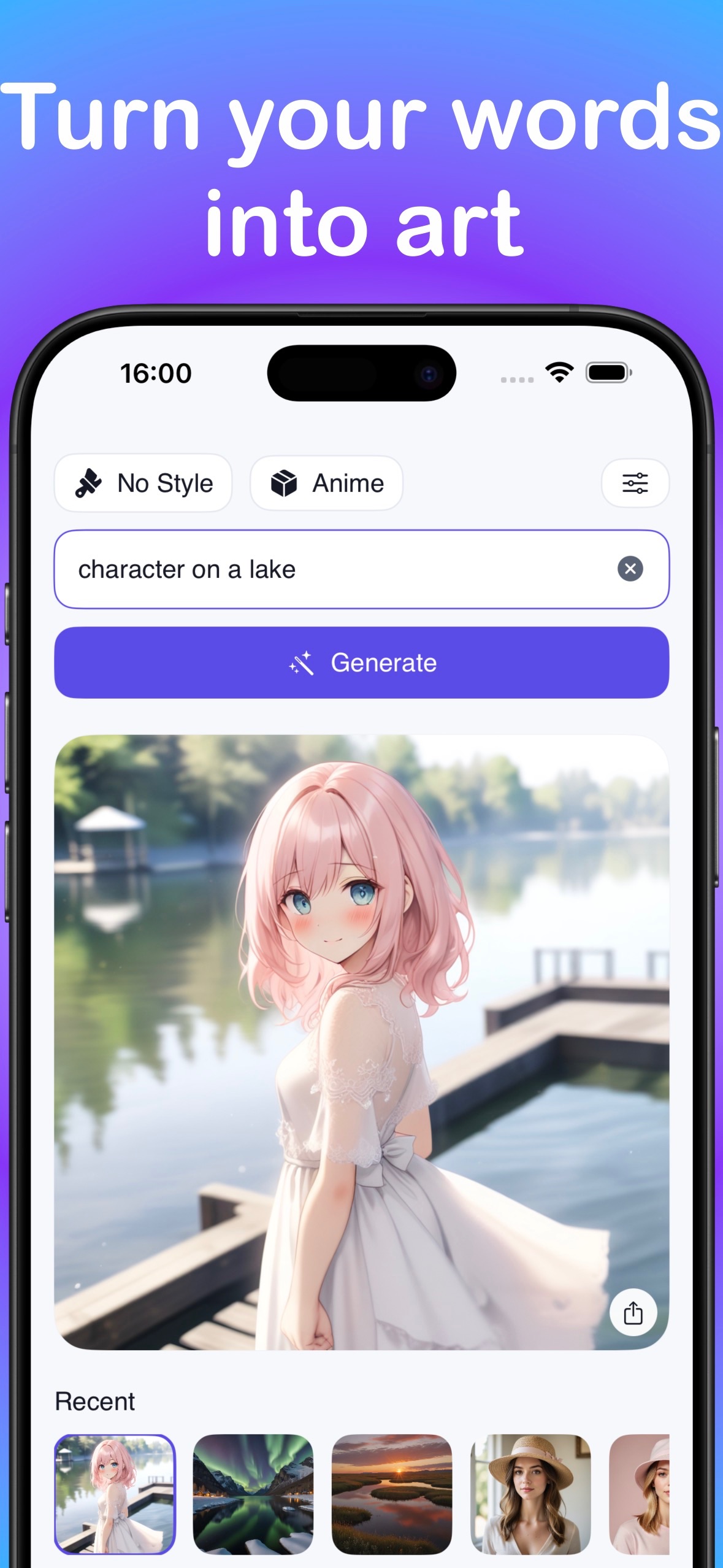
A prompt tells the generator what should appear. The selected model strongly shapes how that idea is interpreted. LocalGen's current App Store screenshots and version 7.0.0 release notes verify an Anime model alongside Cartoon, Realism, Illustration and Painting options.
Choose or download the Anime model before judging an anime prompt. Writing “anime” while another model is selected can produce a different visual language. Model downloads require a connection and take additional storage, so prepare before a flight or any offline session.
Use a six-part anime prompt formula
A useful prompt is specific enough to establish a scene but simple enough for every phrase to agree. Build it in this order:
- Subject: who or what is central, including two or three memorable traits.
- Action: one readable pose, gesture or activity.
- Setting: the place, season or time of day.
- Composition: close portrait, full-body view, wide scene or another clear framing choice.
- Visual treatment: clean line art, soft cel shading, painted background or another coherent treatment.
- Light and mood: warm sunset, cool moonlight, energetic, calm, mysterious or hopeful.
Original sky courier with short silver hair and a red scarf, leaning into the wind on a rooftop, floating city at sunrise, three-quarter character portrait, clean anime line art and soft cel shading, bright hopeful moodThe word “original” does not guarantee legal rights, but it keeps the creative task focused on a new character rather than asking the model to imitate a named franchise. Review the licence and usage terms that apply before commercial use.
Match the prompt to the image you actually need
For a character portrait
Prioritize face, expression, hair, clothing and lighting. Keep the background simple so it does not compete with the character.
Original forest mage, curious expression, moss-green cloak and copper hairpin, close portrait, misty woodland shapes in the background, delicate anime linework, soft morning lightFor a full scene
Name the action and relationship between subject and setting. A strong verb—running, repairing, waiting, exploring—usually communicates more than a long inventory of objects.
Two young astronomers repairing a small observatory telescope during a meteor shower, wide rooftop scene, crisp anime illustration, deep blue night and warm window light, sense of discoveryFor an anime phone wallpaper
Ask for a tall composition and leave a calmer area near the top for the clock and status elements. LocalGen's listing does not promise a specific aspect-ratio control, so plan to crop the saved image in Photos when necessary.
Generate anime art locally in six steps
- Prepare the app. Install LocalGen while connected. The current KZ listing shows a 2.8 GB app download, and model storage is additional.
- Install and select Anime. Open the model choices and download the available Anime model if it is not already on the device.
- Write the first prompt. Use subject, action, setting, composition, treatment, light and mood. One sentence is enough for the first test.
- Generate on-device. Start generation and inspect the image as a draft rather than trying to make every detail perfect at once.
- Revise one thing. If the framing is wrong, change only the composition phrase. If the atmosphere is wrong, change only light or mood. Generate again and compare.
- Save the strongest result. Use the visible share or save workflow to move the chosen image to Photos when you are ready.
Diagnose the image before adding more words
Longer is not automatically better. When a result misses the idea, identify the single largest mismatch:
- Wrong framing: add “close portrait,” “full-body view” or “wide scene.”
- Weak focal point: move the main subject to the beginning and remove secondary objects.
- Flat mood: specify one light source and one emotional direction.
- Busy scene: simplify the background or reduce the number of characters.
- Wrong visual language: confirm that the Anime model is selected before rewriting everything.
Save promising drafts before large changes. The recent-image gallery shown in LocalGen's screenshot makes it easier to compare iterations, but the best practice is still to export a result you would be disappointed to lose.
Download LocalGen, install the Anime model and keep generating on-device after setup.
Frequently asked questions
Can I create anime images from text on iPhone?
Yes. LocalGen's current App Store screenshots and release notes show an Anime model. Choose or install that model, describe an original character or scene, generate on-device, then refine the prompt and save the result.
Does the LocalGen anime generator work offline?
Yes, on-device generation works offline after LocalGen and the required Anime model are downloaded. Complete setup while connected and allow enough storage first.
What should an anime AI art prompt include?
Include a distinct subject, one clear action, a setting, composition, visual treatment, lighting and mood. Keep the first version focused, then change one variable at a time instead of stacking contradictory instructions.